Is 300 Mbps Good for Working from Home?
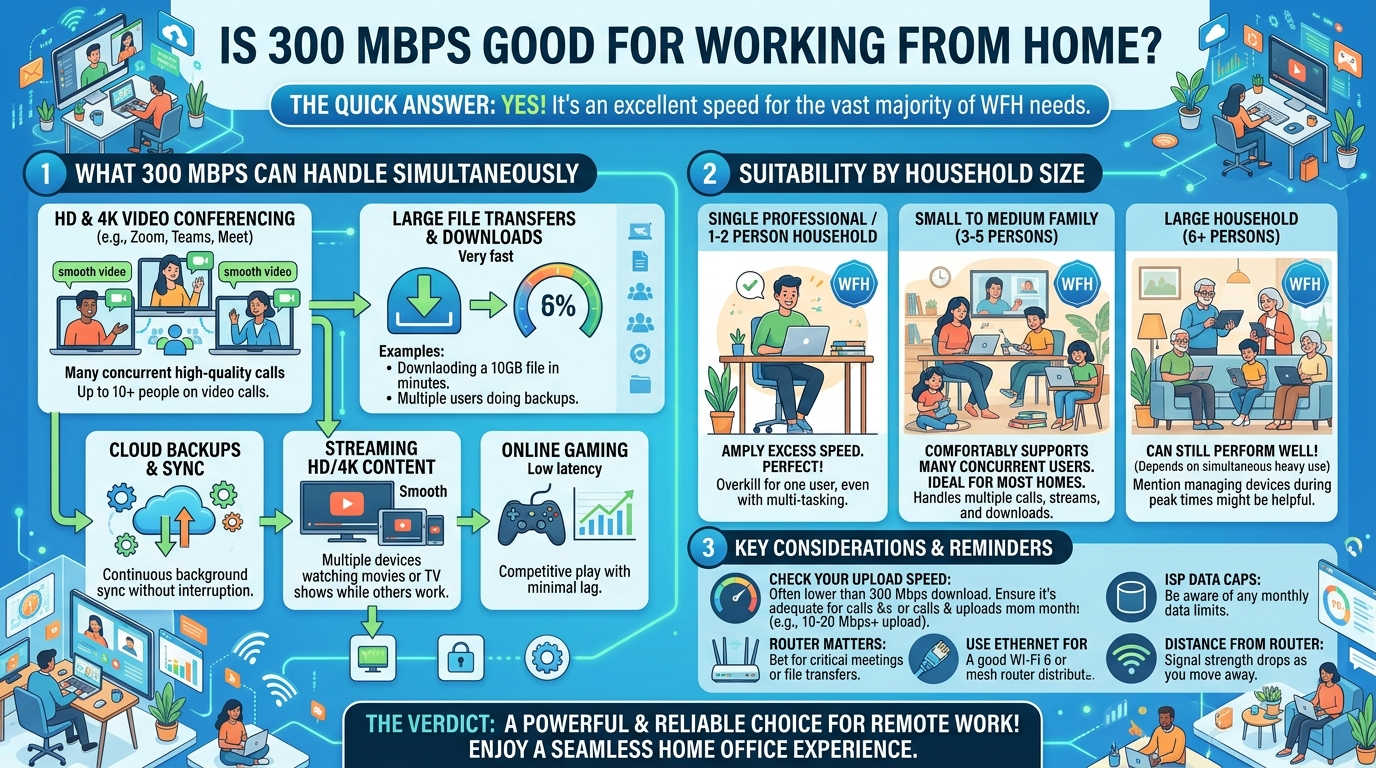
Yes — 300 Mbps is more than enough for working from home, even in households with multiple remote workers, streaming devices, and smart home gadgets running simultaneously. It comfortably handles video conferencing, cloud file access, large downloads, and everyday browsing without noticeable lag for most households of two to six people.
The main caveat isn’t the download number itself — it’s what comes paired with it. Upload speed, connection type, and how many devices are competing for bandwidth at once matter just as much as the headline figure. This guide breaks down exactly what 300 Mbps supports, where its limits are, and how it compares to other speed tiers.
What Does 300 Mbps Actually Mean?
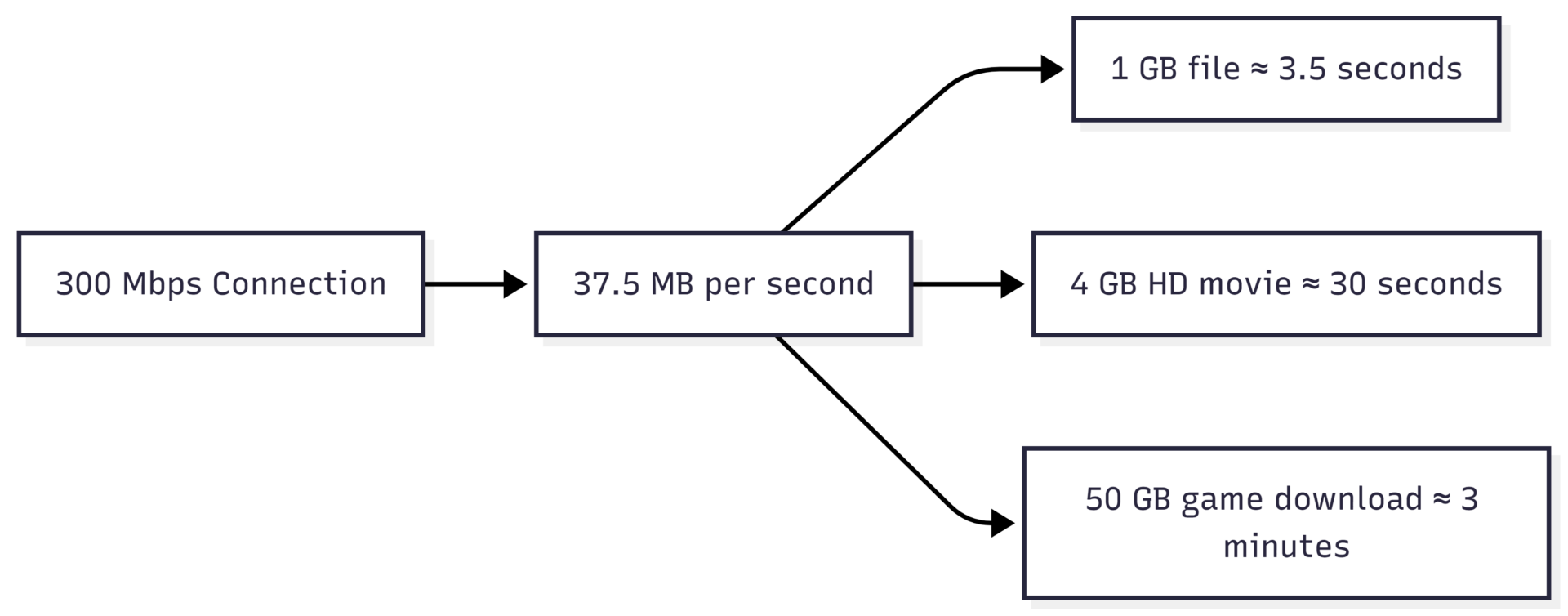
Mbps stands for megabits per second — the rate at which data moves through your connection. A 300 Mbps connection transfers 300 megabits, or roughly 37.5 megabytes, every second.
| File / Task | Download Time at 300 Mbps |
|---|---|
| 1 GB file | ~3.5 seconds |
| 4 GB HD movie | ~30 seconds |
| 10 GB project file | ~4.5 minutes |
| 50 GB game/software update | ~3 minutes |
What 300 Mbps Can Handle for Remote Work
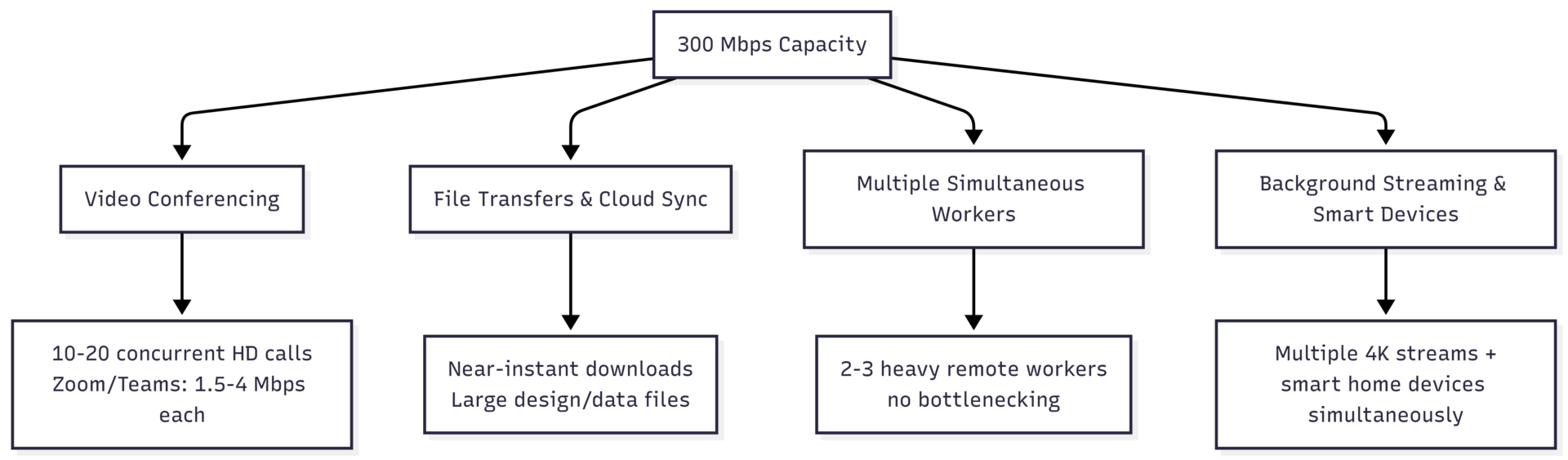
Video meetings. A standard HD Zoom or Microsoft Teams call uses approximately 1.5–4 Mbps. At 300 Mbps, you could theoretically run 10–20 concurrent HD video calls without congestion — far beyond what any household needs, but it illustrates the headroom available.
File transfers and cloud-based work. Downloading large documents, design files, datasets, or software packages from cloud storage is effectively instantaneous at this speed. Cloud-based development environments, design tools (Figma, Adobe Creative Cloud), and data analysis platforms all run smoothly.
Multiple remote workers. A 300 Mbps connection comfortably supports two to three people working from home simultaneously — each running video calls, cloud applications, and file syncs — without one person’s activity degrading another’s call quality.
Background activity. Smart TVs, security cameras, smart speakers, and other IoT devices typically need 25 Mbps download and 3 Mbps upload combined for baseline operation, with each additional connected device adding roughly up to 10 Mbps of demand during active use. At 300 Mbps, this background load is easily absorbed alongside active work tasks.
Speed Requirements by Task
| Activity | Minimum Speed Needed | Notes |
|---|---|---|
| Email and web browsing | 1–5 Mbps | Negligible load |
| HD video call (Zoom/Teams) | 1.5–4 Mbps | Per call |
| 4K video call | 8–10 Mbps | Per call |
| HD streaming (Netflix/YouTube) | 5 Mbps | Per stream |
| 4K streaming | 25 Mbps | Per stream |
| Cloud file sync | 5–25 Mbps | Depends on file size/frequency |
| VPN-based remote work | 10–50 Mbps | Adds overhead to other tasks |
| Online gaming | 3–6 Mbps | Latency matters more than speed |
| Smart home / IoT (per device) | Up to 10 Mbps | Background, always-on |
A 300 Mbps connection provides substantial headroom over each of these individual requirements — the constraint only emerges when many high-bandwidth activities stack simultaneously across a large household.
Why Upload Speed Matters Just as Much
Download speed gets most of the attention, but for remote work, upload speed is often the actual bottleneck. Upload determines how well you can:
- Transmit your webcam feed during video calls
- Share your screen without lag
- Send large files to cloud storage, clients, or servers
- Maintain VPN connections to work systems
A “300 Mbps” plan from a cable provider commonly pairs that download speed with only 10–35 Mbps upload — a heavily asymmetric ratio. Fiber connections, by contrast, often offer symmetrical speeds (300 Mbps up and down), which is a significant advantage for remote work involving frequent uploads, screen sharing, or large file transfers.
| Connection Type | Typical 300 Mbps Plan Upload Speed |
|---|---|
| Fiber (symmetrical) | 300 Mbps |
| Cable (asymmetrical) | 10–35 Mbps |
| 5G Home Internet | 10–30 Mbps (variable) |
| DSL | Rarely offers 300 Mbps tier |
Recommendation: For remote work, look for at least 15–50 Mbps upload, or symmetrical speeds if available. If your 300 Mbps plan caps upload at 10 Mbps, large file uploads and screen-sharing-heavy calls may feel sluggish even though download performance is excellent.
How Many Devices Can 300 Mbps Support?
A 300 Mbps connection can generally support 8–10 devices streaming in HD simultaneously, though the practical number depends heavily on what each device is doing.
| Household Size | Typical Device Count | 300 Mbps Suitability |
|---|---|---|
| 1 person | 3–5 devices | Excellent — significant headroom |
| 2 people | 5–8 devices | Excellent for most use cases |
| 3–4 people | 8–12 devices | Good — may strain during simultaneous 4K + gaming + work calls |
| 5–6 people | 12+ devices | Adequate but consider higher tiers if heavy usage overlaps |
| 6+ people / heavy gamers/streamers | 15+ devices | Consider 500 Mbps–1 Gbps |
Internet Speed Tiers Compared

| Speed Tier | Best For | Download Time (4 GB file) | Download Time (50 GB file) |
|---|---|---|---|
| 100 Mbps | Solo worker, light browsing, 1-2 devices | ~5.5 minutes | ~70 minutes |
| 300 Mbps | 2-6 people, remote work, HD/4K streaming | ~30 seconds | ~3 minutes |
| 500-600 Mbps | Larger households, multiple 4K streams + gaming | ~15 seconds | ~1.5 minutes |
| 1 Gbps | Heavy multi-device homes, large remote teams at home | ~4 seconds | ~50 seconds |
| 2.5 Gbps | Content creators, video editors, large file workflows | ~1.5 seconds | ~20 seconds |
| 5 Gbps | Power users, future-proofing, 8K workflows | <1 second | ~10 seconds |
300 Mbps vs. 500 Mbps: Which Do You Need?
The decision largely comes down to household size and how many high-bandwidth activities happen at the same time.
Choose 300 Mbps if:
- Your household has 2-4 people
- You work from home with regular video calls and cloud tasks
- Streaming is mostly HD with occasional 4K
- You don’t have multiple simultaneous gamers or streamers
Choose 500 Mbps or higher if:
- Your household has 5+ people with individual devices
- Multiple people stream 4K content simultaneously
- You regularly work with very large files (video editing, large datasets, design assets)
- Multiple remote workers in the home run video calls and large uploads at the same time
300 Mbps and Connection Type: Fiber vs. Cable vs. 5G
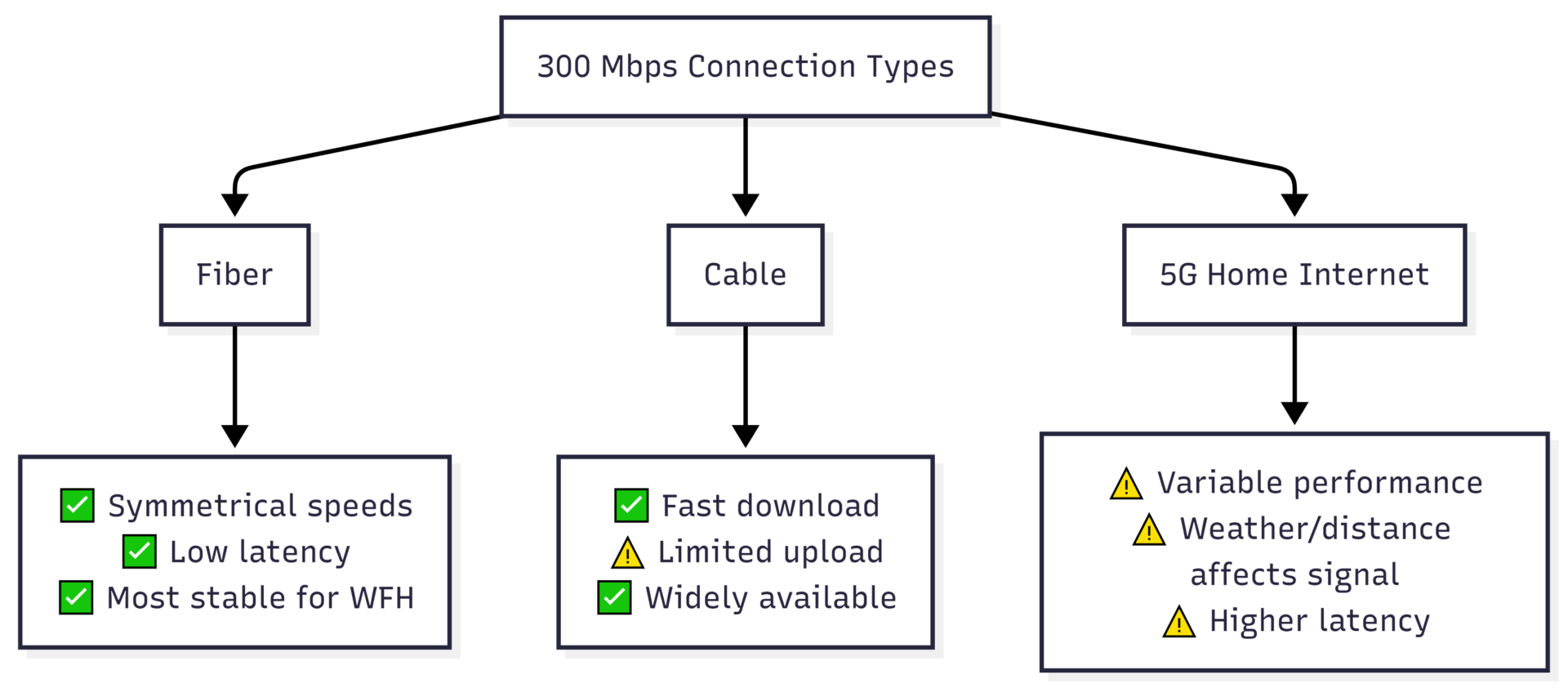
Fiber is the strongest choice for remote work at the 300 Mbps tier because of symmetrical upload/download speeds and consistently low latency — both critical for video calls and VPN-based work.
Cable delivers reliable download speeds at 300 Mbps but typically caps upload well below the download figure. For most remote work this is still workable, but heavy uploaders should check the upload number specifically before choosing a plan.
5G Home Internet can technically deliver 300 Mbps download in good signal areas, but performance is more variable — affected by distance to cell towers, weather, physical obstructions, and network congestion. Latency tends to be higher than wired connections, which can affect video call quality and VPN responsiveness more than the raw speed number suggests.
When Should You Upgrade Beyond 300 Mbps?
Consider upgrading if you regularly experience:
- Network congestion during peak hours (evenings, when everyone is home)
- Buffering or long load times despite a 300 Mbps plan
- Lag or high ping during online gaming with multiple devices active
- Slow upload speeds affecting video calls or cloud backups
- A growing number of household members or smart home devices
Before upgrading, run a wired speed test (connect directly to your router via Ethernet) at different times of day. Many “slow internet” complaints at 300 Mbps stem from outdated routers, poor Wi-Fi placement, or peak-hour ISP congestion — not the plan itself. A modern Wi-Fi 6 router and, for larger homes, a mesh Wi-Fi system often resolve these issues without needing a higher-tier plan.
Equipment Needed for 300 Mbps
| Equipment | Requirement | Approx. Cost |
|---|---|---|
| Modem (cable/fiber) | DOCSIS 3.1 (cable) or ONT (fiber), compatible with 300 Mbps | $0–$150 (often provided by ISP) |
| Router | Supports 802.11ac (Wi-Fi 5) minimum; 802.11ax (Wi-Fi 6) recommended | $80–$300 |
| Mesh Wi-Fi system | Recommended for homes over 1,500 sq ft | $150–$500 |
| Ethernet cable | Cat6 for wired connections to primary work device | $10–$25 |
A router that supports only older Wi-Fi standards (802.11n or earlier) will bottleneck a 300 Mbps connection regardless of what your ISP delivers. Confirm your router’s maximum throughput matches or exceeds your plan speed.
FAQs
Yes. Netflix 4K streaming requires about 25 Mbps. Even with multiple 4K streams running alongside video calls and cloud work tasks, 300 Mbps provides ample headroom for typical households.
Yes, comfortably. Two people running video calls, cloud applications, and file transfers at the same time use a small fraction of available bandwidth at 300 Mbps.
Generally yes. Online gaming typically requires only 3–6 Mbps, and latency (not raw speed) is the primary factor for gaming performance. A wired Ethernet connection for the gaming device helps minimize lag regardless of overall household usage.
For day-to-day work, yes. However, professionals regularly transferring very large files (raw video footage, large design assets) may notice meaningful time savings from 500 Mbps or 1 Gbps tiers, particularly for upload-heavy workflows.
Not necessarily. Wi-Fi speeds are affected by router quality, distance from the router, interference, and the number of connected devices. A wired Ethernet connection will more reliably deliver the full 300 Mbps than Wi-Fi, especially in larger homes.
Conclusion
300 Mbps is a strong, capable speed for working from home — sufficient for video conferencing, cloud-based applications, multiple simultaneous users, and background streaming or smart home activity in most households of two to six people. The download number itself is rarely the limiting factor.
What matters more is upload speed (look for at least 15–50 Mbps, or symmetrical if possible), connection type (fiber offers the most consistent performance for remote work), and your router’s ability to actually deliver the speed you’re paying for. For most remote workers, 300 Mbps is not just adequate — it’s comfortably more than what daily work requires. Upgrading to 500 Mbps or higher only becomes worthwhile for larger households with heavy, overlapping high-bandwidth usage or professions involving very large file transfers.
Please share this Is 300 Mbps Good for Working From Home? with your friends and do a comment below about your feedback.
We will meet you on next article.
Until you can read, Do Software Engineers Work From Home?